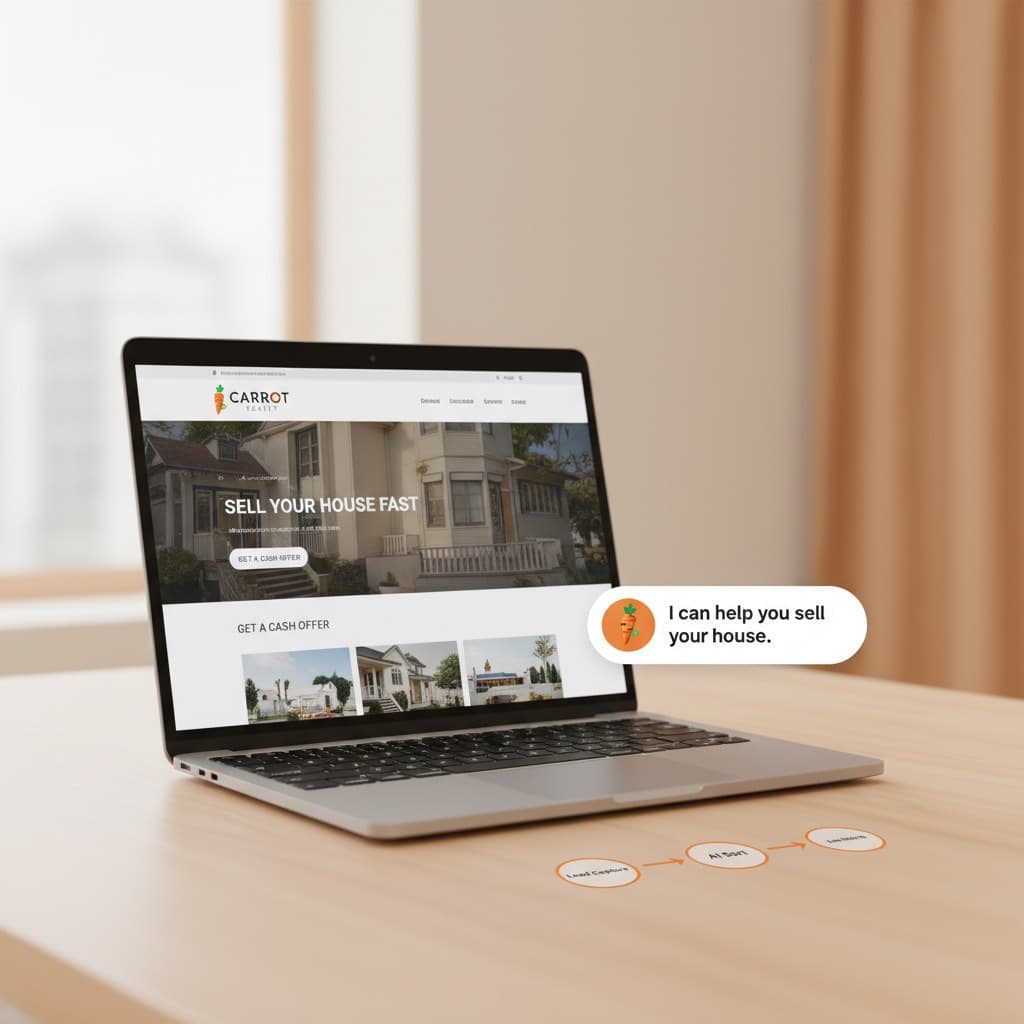
Carrot Website AI Integration: Setup Guide
Add an AI chatbot to your Carrot site to qualify motivated sellers 24/7 and route hot leads to your CRM. Step-by-step integration guide.
Most investors I talk to are sitting on a Carrot website that converts decently, somewhere in the 2 to 4% range for motivated seller traffic, and they assume the only way to squeeze more out of it is to rebuild on Webflow or hire a designer. That is rarely true. The fastest ROI on a Carrot site in 2026 is not a redesign. It is a thoughtful carrot website ai integration that qualifies sellers 24/7, routes hot leads instantly, and follows up on cold ones for weeks.
I have shipped this exact stack for a handful of wholesalers and flippers over the past year. The pattern is simple, the embed code is short, and you do not need to touch Carrot's theme files in any meaningful way. If you are evaluating a more strategic lead engine across paid and organic, our AI lead generation for real estate service wraps everything in this post into a managed system - but you can build a perfectly good version yourself in an afternoon.
Let's go ahead and jump into it.
Why Bolt AI Onto Carrot Instead of Rebuilding? (The Case for Carrot Website AI Integration)
Carrot is opinionated software. It ranks well because the templates are tuned for "sell my house fast [city]" SEO, the forms are conversion-tested, and the lead capture mechanics are baked into the platform. If you rip that out and rebuild on Webflow, you are throwing away years of compounding SEO equity for marginal design wins. I went down that road with a different stack and wrote about it in why I rebuilt three websites with Claude Code and canceled Wix and Webflow - even then, my advice for Carrot users is different.
If you are still debating platforms, the Carrot website alternatives breakdown covers the trade-offs. For most investors doing under 5 deals a month, the right move is to keep Carrot and layer AI on top.
Here is what a good carrot website ai integration actually delivers, and what most investors miss when they try to DIY a carrot website ai integration without a clear playbook:
- 24/7 conversation with sellers landing at 11pm from Google ads
- Pre-qualification questions before the lead hits your phone
- Instant routing of "hot" leads (vacant, motivated, 30-day timeline) to your callers
- Cold leads dropped into a long-term nurture sequence
- Structured data in your CRM instead of a one-line form submission
Carrot Website AI Integration Architecture (One Page Diagram)
The stack I use looks like this:
Carrot Site
    │
    ├── <script> embed (chatbot widget)
    │        │
    │        └── Chatbot (GPT-4o / Claude) collects:
    │             - Property address
    │             - Condition (1 to 10)
    │             - Timeline (now / 30 / 60 / 90+ days)
    │             - Motivation (foreclosure, inherited, tired landlord, etc.)
    │             - Price expectation
    │
    └── Carrot native form (fallback)
                │
                ▼
        Webhook → n8n / Make
                │
        ┌───────┼───────┐
        ▼       ▼       ▼
       CRM   Slack/SMS  Voice Agent
      (REsimpli)  (hot)    (callback)
Two entry points (chatbot and the native Carrot form), one webhook destination, three downstream actions. That is the entire carrot lead automation flow, and it is the backbone of any serious carrot website ai integration.
Step 1: Pick Your AI Chatbot Layer for the Carrot Website AI Integration
You have three reasonable options for the ai chatbot carrot layer:
- Hosted SaaS (Intercom Fin, Chatbase, Voiceflow). Fastest. $50 to $200/month. Limited control over routing logic.
- Open-source self-hosted (Typebot, Chatwoot + GPT). Free to $20/month infra. Full control. Requires a VPS.
- Custom build (Next.js + Vercel AI SDK). What I do for clients. Highest ceiling, ~$5 to $30/month in API costs depending on traffic.
For most investors, I recommend starting with Chatbase or Typebot. Both let you ship in a single afternoon. I have built custom for clients doing 10,000+ visits/month where the per-message economics started to matter.
Step 2: Embed the Widget on Your Carrot Site
The embed step is where most carrot website ai integration attempts die - either the script breaks page speed or the widget z-index fights with Carrot's popups. Both are avoidable.
Carrot does not expose a full theme editor, but every plan has an "Insert Header/Footer Scripts" option under Settings → Tracking & Conversion Codes. This is where you drop the embed.
Here is the pattern for a Chatbase-style widget:
<!-- Paste into Carrot: Settings → Tracking & Conversion Codes → Footer -->
<script>
  window.chatbaseConfig = {
    chatbotId: "YOUR_BOT_ID",
    domain: "www.chatbase.co"
  }
</script>
<script
  src="https://www.chatbase.co/embed.min.js"
  defer>
</script>
For Typebot self-hosted:
<script type="module">
  import Typebot from 'https://cdn.jsdelivr.net/npm/@typebot.io/js@0.3/dist/web.js'

  Typebot.initBubble({
    typebot: "seller-qualification",
    apiHost: "https://typebot.yourdomain.com",
    theme: {
      button: { backgroundColor: "#FF6B35" }, // Carrot orange
      chatWindow: { backgroundColor: "#fff" },
    },
    previewMessage: {
      message: "Need to sell your house fast? I can give you a cash offer range in 60 seconds.",
      autoShowDelay: 8000,
    },
  })
</script>
A few things I learned the hard way:
- Use
deferon the script tag. Carrot pages already carry tracking pixels, and a synchronous chatbot script will tank your LCP score. - Set
autoShowDelayto 6 to 10 seconds. Earlier and bounce rate goes up. Later and you miss the window. - Match the button color to Carrot's accent color so it looks native.
- Test on mobile - over 70% of motivated seller traffic on the Carrot sites I have audited comes from phones.
Step 3: The Qualification Script (The Heart of Carrot Website AI Integration)
The chatbot is only as good as the prompt behind it. Here is the system prompt I have iterated on for about 18 months, simplified for this post:
You are a real estate acquisition specialist for [Company].
You are texting with a homeowner who landed on our website.

GOALS (in order):
1. Build rapport in 1 to 2 messages. Be warm, not salesy.
2. Confirm property address (city + state minimum).
3. Ask condition on a 1 to 10 scale, with one example of what a 5 looks like.
4. Ask timeline: "Are you looking to sell in the next 30 days,
   60 days, 90+ days, or just exploring?"
5. Ask motivation in a non-judgmental way:
   "What is making you think about selling right now?"
6. Ask price expectation as a range, not a number.
7. Capture phone + best time to call.

RULES:
- Never quote a price. Always say "we'll need to look at recent comps."
- If the seller mentions foreclosure, divorce, or probate,
  mark URGENT in the structured output.
- Maximum 2 questions per message.
- If they go silent for 3 messages, offer to text them later.

OUTPUT FORMAT (JSON, sent via tool call on conversation end):
{
  "address": "...",
  "city": "...",
  "state": "...",
  "condition_1_to_10": 0,
  "timeline_days": 0,
  "motivation": "...",
  "asking_price_low": 0,
  "asking_price_high": 0,
  "phone": "...",
  "best_callback_time": "...",
  "urgency": "hot" | "warm" | "cold",
  "notes": "..."
}
The structured JSON output is what makes the rest of the pipeline work. Most off-the-shelf chatbots will let you define "collect variables" - use that feature, and pipe the result to a webhook on conversation completion.
Step 4: Route Leads With n8n (The Carrot API Question Inside Every Carrot Website AI Integration)
Here is the question I get most often: "Can I use the carrot api to push leads into my CRM?"
The honest answer is that Carrot does not publish a solid public API for lead data. What they do offer:
- Webhook on form submission - available on most plans, configurable per form.
- Zapier integration - works but is limited in payload shape.
- CSV export - manual, not real-time.
For a real carrot automation flow, the cleanest pattern is:
- Native Carrot form → Carrot's built-in webhook → n8n.
- Chatbot completion → direct webhook → same n8n endpoint.
- n8n normalizes both into one schema and routes.
A minimal n8n routing workflow:
// n8n "Code" node - runs after the Webhook trigger
const lead = $input.first().json;

// Normalize from either source
const normalized = {
  source: lead.chatbotId ? 'chatbot' : 'carrot_form',
  name: lead.name || lead.full_name,
  phone: lead.phone || lead.phone_number,
  address: lead.address || lead.property_address,
  timeline_days: parseInt(lead.timeline_days || 90),
  urgency: lead.urgency || classifyUrgency(lead),
  raw: lead,
  received_at: new Date().toISOString(),
};

function classifyUrgency(l) {
  const motivation = (l.motivation || '').toLowerCase();
  const urgentKeywords = ['foreclosure', 'behind on payments', 'divorce',
                          'probate', 'inherited', 'eviction', 'job loss'];
  if (urgentKeywords.some(k => motivation.includes(k))) return 'hot';
  if (normalized.timeline_days <= 30) return 'hot';
  if (normalized.timeline_days <= 60) return 'warm';
  return 'cold';
}

return normalized;
Then a Switch node in n8n branches on urgency:
hot→ Send Slack alert + SMS to acquisitions manager + push to REsimpli with "Hot Lead" tag + trigger callback workflow.warm→ Push to REsimpli + schedule callback within 4 hours.cold→ Push to long-term drip campaign (90-day email/SMS nurture).
Step 5: Close The Loop With a Voice Agent
Speed-to-lead is the multiplier that makes the rest of the carrot website ai integration worth building.
This is where things get interesting in 2026. For hot leads, I have clients running an AI voice agent for real estate that calls the seller back within 60 seconds of the chatbot conversation ending. The voice agent has the full transcript and JSON payload as context, so it does not re-ask questions the chatbot already covered.
Conversion lift compared to "we will call you in the morning" follow-up is meaningful - across the handful of accounts I have data on, callback-to-appointment rates roughly doubled, though I want to be transparent that the sample is small (TODO: pull updated 2026 numbers across the full portfolio before citing a specific percentage).
For sellers who do not answer the callback, an AI voice agent will retry on a sensible cadence (typically 3 attempts over 5 days) before dropping them into the nurture sequence.
A Realistic Budget for a Carrot Website AI Integration
Here is what a working carrot website ai integration actually costs to run, assuming ~2,000 monthly visits and ~80 chatbot conversations. Total spend on a complete carrot website ai integration is well under the cost of a single junior VA:
| Component | Tool | Monthly cost |
|---|---|---|
| Chatbot | Chatbase Pro or self-hosted Typebot | $40 to $80 |
| Workflow engine | n8n self-hosted ($6 VPS) or n8n Cloud | $6 to $50 |
| LLM API | OpenAI or Anthropic (~80 convos) | $5 to $15 |
| CRM | REsimpli (likely already paying) | $0 incremental |
| Voice callback | Optional, varies by volume | $0 to $300 |
| Total | ~$50 to $450 |
For context, a single closed wholesale deal in most markets covers 6 to 24 months of this stack. The math is not close.
What I Would Skip In a Carrot Website AI Integration
A few things I have tried in a carrot website ai integration and would not recommend:
- Replacing the Carrot form entirely with a chatbot. Some sellers want a form. Keep both.
- Letting the chatbot quote prices. Even with comp data fed in, hallucinations on price create deals you cannot honor. Always say "range pending walk-through."
- Over-engineering the routing. Start with hot/warm/cold. Add complexity only after you have 100+ leads through the system.
- Using Carrot's built-in popups for the chatbot. They conflict with the embed and cause z-index battles. Embed via footer script instead.
Carrot Website AI Integration: Where To Start This Week
If you have a Carrot site and want to ship a basic carrot website ai integration in the next 7 days, here is the order that has worked for every carrot website ai integration I have shipped:
- Day 1: Sign up for Chatbase or spin up Typebot. Write the qualification prompt.
- Day 2: Drop the embed in Carrot's footer scripts. Test on mobile and desktop.
- Day 3: Set up n8n (cloud or self-hosted). Build the webhook → CRM flow.
- Day 4: Add Slack/SMS alerts for hot leads.
- Day 5 to 7: Watch the first 20 conversations. Tune the prompt based on real seller behavior.
That is the whole carrot website ai integration playbook. Carrot is not the constraint. Most investors are leaving 30 to 50% of their lead value on the table not because their site is bad, but because nobody answers the chat at 11pm and nobody follows up at hour 49. Both of those problems have software solutions now.
If you want help building this without burning a month figuring it out, that is exactly what we do at White Space - see AI lead generation for real estate for the managed version.
Connecting AI to a website, a CRM, and a phone line is what our AI integration services cover.
Founder & CEO, White Space Solutions
Jason builds AI automation systems for real estate investors and business owners. With experience spanning data analytics, direct mail automation, AI voice agents, and revenue intelligence, he helps companies replace manual workflows with intelligent systems that drive measurable results.
Related Articles
AI-Native Carrot Alternatives (2026)
AI-native carrot alternatives for real estate investors. Compare Claude Code, Cursor, and AI page builders on cost, speed, SEO, and lead conversion.
Real Estate AI Chatbot: Build vs Buy in 2026
When does an off-the-shelf real estate AI chatbot win, and when should you build custom? A 2026 decision matrix with costs, architecture, and trade-offs.
AI Agency for Real Estate: Buyer's Guide
How to evaluate an AI agency for real estate investing: engagement models, pricing benchmarks, red flags, and the exact questions to ask before signing.
Run Your Wholesaling Business With 3 AI Agents
How to run a real estate wholesaling business with 3 AI agents - Acquisitions, Dispo, and Ops. Daily output, cost, and the scale path I use with clients.