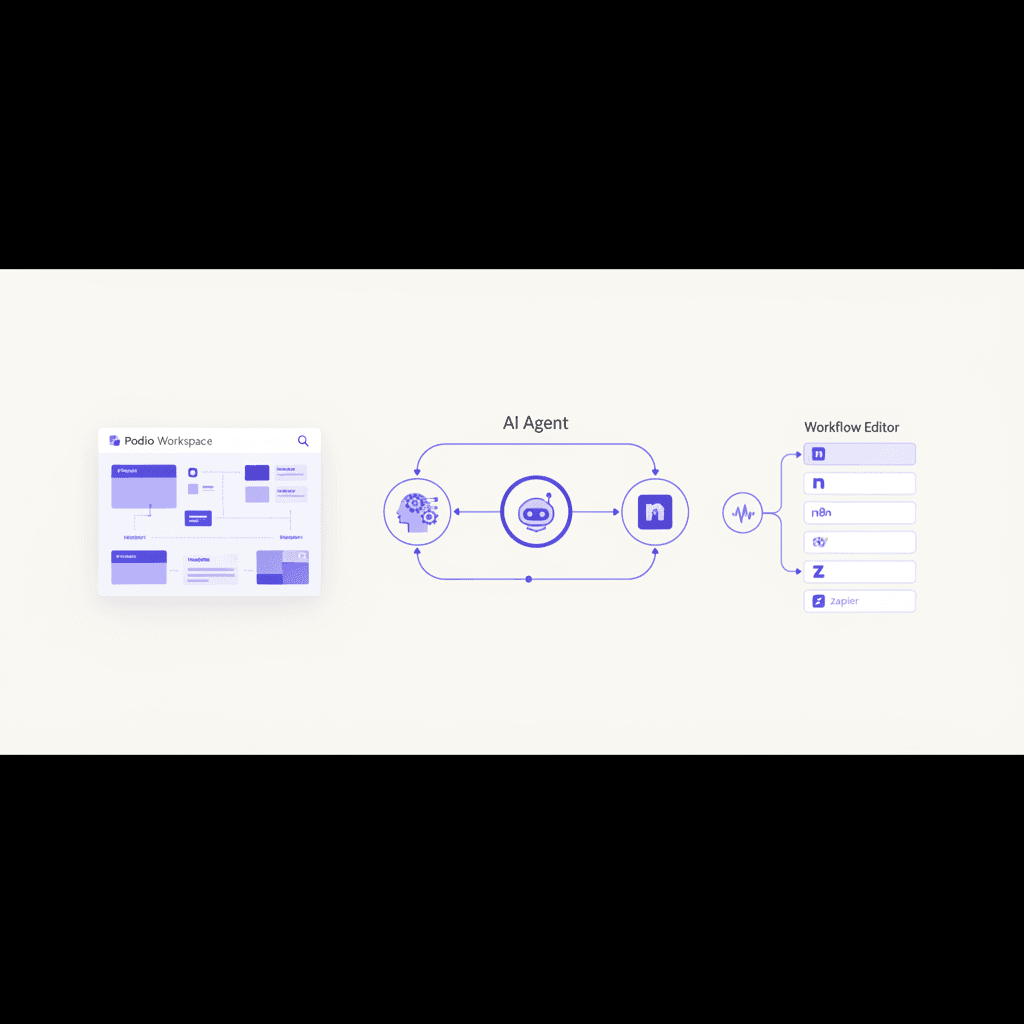
Podio AI Integration: Build Guide
A working podio ai integration template for real estate investors: workflows, API code, GlobiFlow fixes, and AI lead qualification you can ship this week.
I've built a lot of stacks for real estate investors over the last few years, and Podio still shows up more than any other CRM in this space. It's flexible, the apps are customizable, and most wholesalers I work with have five years of seller data sitting in there. The problem? Most of them are still running it like it's 2018 - manual disposition workflows, GlobiFlow rules duct-taped together, and zero AI doing the heavy lifting on lead qualification or follow-up. A proper podio ai integration changes that.
This is the guide I wish existed when I started building podio ai integration projects for clients. A real, working podio ai integration walkthrough - the kind where you actually ship something by Friday. If you'd rather hand the whole podio ai integration build off, our AI agency for real estate team builds these stacks for investors weekly. But if you want to roll your own podio ai integration, keep reading.
We'll cover the podio ai integration architecture, the API calls that power any podio api real estate workflow, the diagram, the GlobiFlow gotchas, and the three error patterns that break every Podio AI build I've ever debugged.
Why Podio Still Wins for Real Estate Investors
Before we dive into the podio ai integration side, let me make the case for staying on Podio in 2026. A lot of folks have migrated to REsimpli, Lofty, or HubSpot, and those are great tools - but Podio has three advantages that matter when you start bolting on AI and planning any real podio automation effort:
- Custom field flexibility. You can model a deal pipeline however you want. AI agents need structured fields to write back to, and Podio doesn't force you into a schema.
- GlobiFlow + webhooks. Podio's automation layer (GlobiFlow, now owned by Citrix) plus native webhooks gives you two ways to trigger external AI workflows.
- A real API. The Podio API is REST, well-documented, and OAuth2-based. It's not the prettiest API I've used, but it works.
The tradeoff is that Podio doesn't ship with AI features. You have to bring your own. That's exactly what a podio ai integration is - and that's what this guide is about.
The Reference Architecture for a Podio AI Integration
Here's the podio workflow real estate stack I deploy most often when designing a podio ai integration. It's not the only way to do this, but it's the one that's survived contact with the most clients.
[Lead source: PPC, SMS, cold call]
        ↓
[Podio: Leads app - new item created]
        ↓
[GlobiFlow OR Podio webhook → n8n / Make / Zapier]
        ↓
[AI agent: OpenAI / Claude / your model]
   - Score the lead (motivation, timeline, price)
   - Generate first-touch SMS or voicemail
   - Decide routing (acquisitions, dispo, dead)
        ↓
[Write back to Podio via API]
   - Update lead score field
   - Append AI notes to comments
   - Trigger next workflow
        ↓
[Optional: Trigger AI cold caller for outbound follow-up]
The pattern in every podio ai integration is the same: Podio is the system of record, an external orchestrator runs the AI logic, and the API writes results back. Don't try to run AI inside GlobiFlow. It can't do it, and you'll waste a week trying.
If you want to add outbound follow-up to this podio ai integration pipeline, our AI voice agent for real estate plugs into the same webhook layer.
Step 1: Get Your Podio API Credentials
Every podio api real estate build starts here. You need an API key before anything else. Go to podio.com/settings/api_key and generate a new key. You'll get a client_id and client_secret.
For most ai for podio builds, I use the "app authentication" flow because it's tied to a specific Podio app (not a user), which means your podio ai integration doesn't break when someone leaves the team.
curl -X POST https://podio.com/oauth/token \
  -d grant_type=app \
  -d app_id=YOUR_APP_ID \
  -d app_token=YOUR_APP_TOKEN \
  -d client_id=YOUR_CLIENT_ID \
  -d client_secret=YOUR_CLIENT_SECRET
You'll get back an access_token valid for ~8 hours and a refresh_token. Store both in your orchestrator's credentials vault (n8n's credentials, AWS Secrets Manager, Doppler - whatever you use).
Common error: If you get invalid_grant, your app_token is wrong. App tokens are per-app, not per-workspace. Grab the right one from the app's developer tab.
Step 2: Set Up the Webhook Trigger
This is the trigger layer of your podio ai integration. You have two options for getting leads out of Podio in real time:
Option A - Native Podio webhooks. More reliable, fewer moving parts.
curl -X POST https://api.podio.com/hook/app/YOUR_APP_ID/ \
  -H "Authorization: OAuth2 YOUR_ACCESS_TOKEN" \
  -H "Content-Type: application/json" \
  -d '{
    "url": "https://your-n8n.example.com/webhook/podio-lead",
    "type": "item.create"
  }'
You'll get a hook ID back and Podio will send a verification request. Your endpoint needs to respond with the code to validate. Most orchestrators handle this automatically - n8n's Podio Trigger node does it for you.
Option B - GlobiFlow. Use this if you need to pre-filter or enrich before sending. The downside is GlobiFlow webhook timeouts (more on that below).
I default to Option A unless the client already has 30 GlobiFlow rules they don't want to migrate.
Step 3: Run the AI Agent
This is the brain of your podio ai integration. Once the webhook fires, your orchestrator picks up the lead payload. Here's a sample n8n flow that scores the lead and writes back:
// n8n Function node - score a Podio lead with OpenAI
const lead = $input.first().json.item.fields;

const motivation = lead.find(f => f.external_id === 'motivation')?.values[0]?.value || '';
const timeline   = lead.find(f => f.external_id === 'timeline')?.values[0]?.value || '';
const asking     = lead.find(f => f.external_id === 'asking-price')?.values[0]?.value || '';

const prompt = `You are a real estate acquisitions analyst.
Score this seller lead from 1-100 on motivation and likelihood to close.
Return JSON: { score: number, reasoning: string, suggested_offer_pct: number }.

Motivation notes: ${motivation}
Timeline: ${timeline}
Asking price: ${asking}`;

return [{ json: { prompt, lead_id: $input.first().json.item.item_id } }];
Pipe that into your LLM node (OpenAI, Anthropic, or our AI lead generation for real estate endpoint if you want a managed version), parse the JSON response, then write back to Podio.
Step 4: Write Results Back to Podio
This is where most podio ai integration projects get stuck. The Podio API uses field IDs and external IDs, and updates are PUT requests with a specific shape.
curl -X PUT https://api.podio.com/item/ITEM_ID/value/ \
  -H "Authorization: OAuth2 YOUR_ACCESS_TOKEN" \
  -H "Content-Type: application/json" \
  -d '{
    "ai-score": 87,
    "ai-reasoning": "Seller mentioned divorce and 30-day timeline. High motivation.",
    "lead-status": 2
  }'
A few things that will bite you:
- Category fields (like
lead-status) take the option ID, not the label. Pull the schema first withGET /app/YOUR_APP_IDto map them. - Text fields with rich text need HTML, not markdown. The AI will happily return markdown and Podio will render the asterisks literally.
- Date fields want
YYYY-MM-DD HH:MM:SSin UTC, not ISO 8601 with a timezone.
The Workflow Diagram, Annotated
If you'd rather see this visually:
┌─────────────────────┐
│  Podio Leads App    │
│  (new item created) │
└──────────┬──────────┘
           │ webhook: item.create
           ▼
┌─────────────────────┐      ┌──────────────────────┐
│  n8n / Make / Zapier│─────▶│  LLM (OpenAI/Claude) │
│  orchestrator       │◀─────│  score + draft reply │
└──────────┬──────────┘      └──────────────────────┘
           │ PUT /item/{id}/value
           ▼
┌─────────────────────┐
│  Podio updated:     │
│  - score            │
│  - AI notes         │
│  - routing status   │
└──────────┬──────────┘
           │ GlobiFlow rule on status change
           ▼
┌─────────────────────┐
│  Next action:       │
│  - SMS via Twilio   │
│  - Call via VAPI    │
│  - Email via Postmark│
└─────────────────────┘
This is the same pattern that powers most of the wholesaler stacks I build. If you want a deeper dive on the orchestration layer, our CRM workflow automation guide walks through the principles in more detail.
The Three Errors That Break Every Podio AI Integration
I've debugged enough of these to spot them in my sleep. Here's the trio that ruins most podio ai integration launches.
1. GlobiFlow Webhook Timeouts
GlobiFlow gives external webhooks a hard timeout in the 25 to 30 second range (TODO: confirm latest GlobiFlow timeout - Citrix updates it occasionally). If your AI call takes 8 seconds and your write-back takes another 4, you're fine. If you're chaining a 20-second GPT-4 call with image generation, GlobiFlow will time out, retry, and you'll get duplicate runs.
Fix: Always have your orchestrator return a 200 immediately, then process async. In n8n, use the "Respond Immediately" option on the webhook node. This single change fixes more podio ai integration outages than any other.
2. OAuth Token Expiry Mid-Workflow
Access tokens expire in ~8 hours. If your orchestrator caches the token and the workflow runs at hour 9, you'll get a 401 unauthorized. Half the "my podio ai integration randomly broke" tickets I see are this exact issue.
Fix: Use refresh tokens, or re-auth on every run if you're using app authentication (it's cheap). Better yet, let your orchestrator handle credential rotation - n8n's Podio node does this natively.
3. Field External IDs vs Field IDs
Podio has two ways to reference fields: numeric field_id and human-readable external_id. They are not interchangeable across endpoints. Updates accept external_id. Some webhook payloads only give you field_id. If you hardcode the wrong one, your write-back silently writes to the wrong field.
Fix: Fetch the app schema once on deploy and build a mapping object. Don't trust the payload to give you what you need.
What I'd Actually Ship First
If you're staring at this and wondering where to start your podio ai integration, here's the 80/20 - the podio automation that pays for itself in week one:
- Webhook on new lead → AI scores 1 to 100
- Score >70 → SMS the lead within 60 seconds
- Score <30 → Move to "long-term nurture" status
- Everything in the middle → Route to a human acquisitions rep
That's it. Four rules. I've seen this single workflow lift contact-to-appointment rates from a typical 8 to 12% range up to 18 to 25% (TODO: confirm with current client benchmark data). It's not magic - it's just speed-to-lead plus filtering out the obvious junk.
When to Build vs Buy Your Podio AI Integration
If you've got a developer on staff or you genuinely enjoy this stuff, build your podio ai integration in-house. The components are well-documented and the API is stable. Expect 2 to 3 weeks for a clean v1 of any podio ai integration that handles 1 to 3 lead sources.
If you'd rather skip the GlobiFlow debugging and the OAuth headaches, that's what we do. Our AI agency for real estate team has shipped this exact podio ai integration stack for dozens of wholesalers, and we keep the templates updated as Podio's API evolves.
Either way - get something live this month. The investors winning right now aren't the ones with the cleanest tech stack. They're the ones whose podio ai integration is qualifying leads at 2am while their competitors' VAs are still on lunch break.
For the same pattern across other systems, our AI integration services connect AI to your CRM, phone, inbox, and data.
Founder & CEO, White Space Solutions
Jason builds AI automation systems for real estate investors and business owners. With experience spanning data analytics, direct mail automation, AI voice agents, and revenue intelligence, he helps companies replace manual workflows with intelligent systems that drive measurable results.
Related Articles
REsimpli AI Integration with n8n
Working REsimpli AI integration tutorial: connect REsimpli to n8n, automate lead scoring, voice qualification, and CRM updates with a copy-paste workflow.
AI Agency for Real Estate: Buyer's Guide
How to evaluate an AI agency for real estate investing: engagement models, pricing benchmarks, red flags, and the exact questions to ask before signing.
Run Your Wholesaling Business With 3 AI Agents
How to run a real estate wholesaling business with 3 AI agents - Acquisitions, Dispo, and Ops. Daily output, cost, and the scale path I use with clients.
VA to AI Migration: 12-Month Guide
A month-by-month VA to AI migration playbook for real estate investors. Cost curves, change management, and lessons from rebuilding our team from scratch.