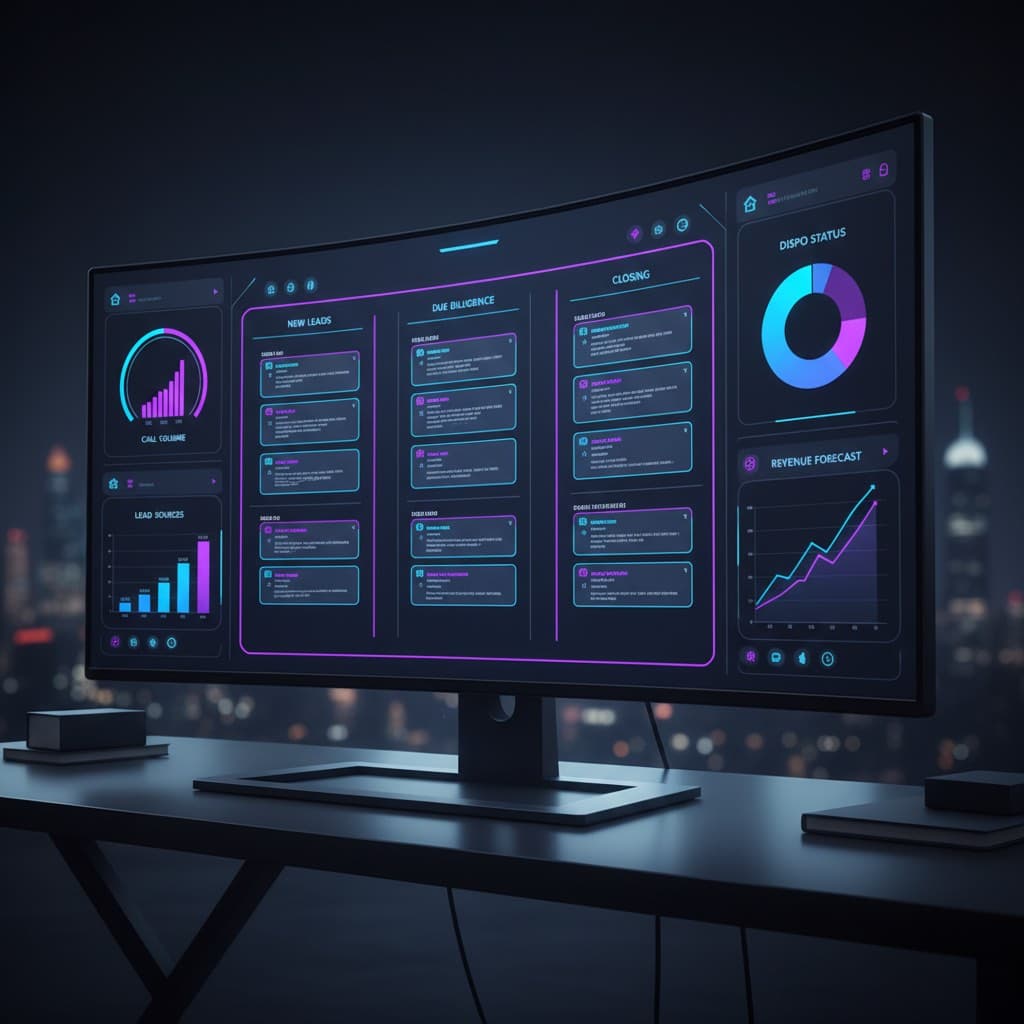
AI command center dashboard for real estate investors showing deal pipeline, call volume, and revenue forecast
Real EstateAIDashboards

The AI Command Center for Real Estate Investors

Build an AI command center for real estate investors. Our metric framework, reporting stack (BigQuery, Plecto), and build vs buy decision tree.

JM

Jason Macht

Founder @ White Space

July 19, 2026
15 min read

Every real estate investor I work with has the same problem, and most don't know it yet. They have a CRM in one browser tab, a dialer in another, a Google Sheet tracking dispo, a Slack channel for VAs, a Stripe dashboard for earnest money, and a QuickBooks file their bookkeeper updates weekly. None of these talk to each other. None produce a single number anyone trusts. Every Monday morning, the operator spends two hours stitching it together into a status report that's outdated by the time it lands in the founder's inbox.

That's the problem an ai command center solves. Not "more dashboards." Not "another tool." A real ai command center is the one place where every signal in your business, leads, calls, contracts, dispositions, cash, lands, gets reconciled, and gets pushed back out as a decision. It's what separates operators who describe their business in numbers from operators who describe it in vibes. If you want help designing one for your shop, that's exactly what we do at our AI agency for real estate investors. This article is the framework we use.

I'm going to walk you through the metric framework, the reporting stack we run internally (BigQuery, Plecto, Customer.io, a few custom Claude Code agents), the build vs buy decision tree, and a screenshots-in-words tour of what a working ai dashboard real estate operators actually use looks like on a Monday morning. By the end you'll know whether to buy off the shelf, hire an AI agency for real estate, or stitch it together yourself with a long weekend.

Let's get into it.

What An AI Command Center Actually Is

The phrase "ai command center" gets thrown around to mean almost anything with a chart on it. That's not useful. Here's the working definition of an ai command center we use with clients.

An ai command center is a single interface that does four things at once:

  1. Ingests every operational signal from every tool you use - CRM, dialer, voice agent, SMS platform, email, calendar, accounting, marketing spend.
  2. Reconciles those signals into a canonical view of leads, deals, calls, contracts, and cash. One row per lead. One row per deal. No duplicates.
  3. Surfaces the five to ten numbers that actually drive the business, in real time, on one screen.
  4. Acts - either by alerting a human, triggering an automation, or letting an AI agent take the next step without asking.

If your "dashboard" only does the first three, it's a reporting tool. Useful, but not a command center. The "command" part means something on the screen can reach back out and change the state of the business. Pause a list. Reassign a lead. Trigger a dispo blast. Cancel a campaign that's burning cash. That's the difference between an ai dashboard real estate operators stare at and a real estate command center that actually runs the shop.

The single pane of glass real estate framing is helpful here. One person, the operator or founder, sits down at 7am, looks at one screen, and within ninety seconds knows exactly what happened yesterday, what's at risk today, and where to put the team's attention. No tab switching. No "let me pull that report." No Monday morning archaeology. That's what single pane of glass real estate actually means in practice.

Why The Old Dashboard Stack Is Broken (And The AI Command Center Fixes It)

Most investors I talk to have already tried to solve this. They have a dashboard. Usually three or four of them.

The CRM has a dashboard. The dialer has a dashboard. PropStream has reports. The bookkeeper has a P&L. Maybe there's a Google Data Studio (now Looker Studio) file someone built two years ago that nobody trusts anymore. Each of these tools shows you a slice of the business through the lens of that tool's worldview.

The problem is none of them agree with each other. The CRM says you have 1,247 leads this month. The dialer says it dialed 8,200 numbers. The dispo sheet shows 14 contracts. The bookkeeper shows $187k collected. There's no way to draw a clean line from any of those numbers to any of the others. Cost per contract? Nobody knows. Cost per closed deal by channel? Nobody knows. ROI on the latest skip trace list? Nobody knows.

We see this everywhere. A wholesaler doing $2M a year in assignment fees who can't tell you which list produced the contracts that closed last quarter. A flipper doing 30 deals a year who can't tell you the true cost of a Facebook lead versus a PPC lead.

It's not that they're bad operators. The data lives in eight systems, and reconciling it is somebody's full-time job, but that job never gets done well, because the person doing it is also handling acquisitions, dispo, and answering the phone. This is the gap a properly built ai command center, sometimes called an ai control center, a real estate command center, or an ai dashboard real estate stack - closes. The whole point is to make that reconciliation happen automatically every night, so the operator wakes up to one screen instead of eight.

The AI Command Center Metric Framework: 9 Numbers That Run The Business

Before you build a single ai command center dashboard, you have to decide what numbers matter. We use a nine-number framework, organized in three layers. If your ai command center doesn't surface these, clearly, in real time, with the math agreed upon by every system, it's not done yet.

Layer 1: Top of funnel (lead generation)

  1. Cost per qualified lead, by channel. Not cost per lead - cost per qualified lead, where "qualified" is a definition you've written down. Direct mail, PPC, SMS, cold call, and referral should each have their own number.
  2. Lead-to-conversation rate. What percent of new leads actually had a human (or AI agent) conversation within 5 minutes? This is where most operators leak the most money.
  3. Conversation-to-appointment rate. Of the conversations you had, how many converted to a booked appointment or property visit?

Layer 2: Middle of funnel (deal pipeline)

  1. Appointment-to-contract rate. Of appointments, how many resulted in a signed contract?
  2. Average days in each pipeline stage. Lead → Appointment → Contract → Dispo → Close. Where are deals stalling?
  3. Active pipeline value. The dollar value of contracts that are live, weighted by stage probability.

Layer 3: Bottom of funnel (cash)

  1. Contracts-to-close rate. Of signed contracts, what percent actually close? (Cancellation rate is the inverse.)
  2. Cycle time, lead to cash. Median days from first touch to wire received.
  3. True cost per closed deal, by channel. All-in marketing, labor, and tooling cost divided by deals closed from that channel.

If you can answer all nine of these without opening a second tab, you have an ai command center. If you can't, you don't - regardless of how pretty your charts are. The nine-number framework is the minimum viable spec for any ai command center we build.

Most investors can answer maybe four of these. The first time we run a client through the framework, they're usually missing the lead-to-conversation rate, the days-in-stage data, and the true cost per closed deal by channel. Those three are where the biggest leaks are, and they're the hardest to assemble because the data lives across three or four systems.

The AI Command Center Stack We Actually Run

People always ask what we run internally to power our own ai command center. Here's the actual stack, with the honest pros and cons.

Data warehouse: BigQuery. Every operational tool we run, CRM, dialer, voice agent transcripts, SMS, email, ships its data into BigQuery on a schedule. We picked BigQuery because storage is effectively free at our scale, SQL is universal, and we can plug Claude Code agents directly into it for natural-language querying. If you want to see the agent setup, I wrote it up in Claude Code data engineer agent with Customer.io + BigQuery.

Reverse ETL: Customer.io and a couple of custom n8n workflows. This is the layer that pushes reconciled data back out - into Customer.io for marketing automation, into the CRM for sales workflows, into Slack for alerts.

Visualization: Plecto for live wallboards, Metabase for ad-hoc analysis. Plecto is what we use for the actual ai command center screen - the one that lives on a TV in the office and on every operator's second monitor. Metabase is where analysts go when they want to slice something new.

Voice + conversation layer: our own AI voice agent for real estate. Every conversation is transcribed, scored, and shipped into BigQuery. That's how we get clean "lead-to-conversation" numbers - the voice agent literally produces a row per attempt.

Lead gen layer: a stack of channels managed under AI lead generation for real estate. Each channel has UTM tagging and source attribution baked in so the cost-per-channel numbers actually reconcile.

Insight layer: a Claude Code agent that runs every morning at 5am. It queries BigQuery, compares yesterday to the trailing 28-day average, and posts a 200-word narrative to Slack: "Lead-to-conversation rate dropped 18% versus average. Likely cause: voice agent had a 4-minute outage at 2:13pm. 47 missed conversations. Recommended action: re-engage list within 2 hours." That's the "command" part - not just reporting, recommending.

This stack costs about $400-600/month in tooling for a mid-sized shop, plus build time. It's not the only valid stack - swap BigQuery for Postgres, Plecto for Geckoboard, Customer.io for Klaviyo. The architecture matters more than the vendors.

AI Command Center Build vs Buy: The Decision Tree

This is the question every investor asks before committing to an ai command center project. Here's how we actually answer it.

Buy off the shelf if:

  • You're doing fewer than ~10 contracts per month.
  • You have one or two acquisition channels.
  • You have no operator or analyst on staff who can own data.
  • You're comfortable with a "good enough" view of the business, not the perfect one.

In that case, something like REsimpli, Investor Fuse, or Podio with a paid template will get you 70% of the way there for $200-500/month. Don't over-engineer.

Build a hybrid (off-the-shelf + light custom) if:

  • You're doing 10-30 contracts per month.
  • You have 3+ acquisition channels you actually want to compare.
  • You have an operator who can spend a few hours a week in spreadsheets and SQL.
  • You're starting to feel the pain of misaligned numbers but you can't justify a full engineering build.

This is where most of our clients land. The pattern: keep the CRM and dialer you have, add a Plecto or Metabase layer on top, build a small data pipeline (n8n or Fivetran) that pulls everything into BigQuery, and wire up alerts in Slack. Total cost: $500-1,500/month plus a one-time build of 40-100 hours.

Build fully custom if:

  • You're doing 30+ contracts per month, or running multiple markets.
  • You have unique workflows that no off-the-shelf tool models well (JV partners, complex dispo, fund-of-funds capital stacks).
  • You want AI agents, not just dashboards, taking action on the data.
  • You have either an in-house engineer or an AI agency you trust.

At this scale, a custom build pays for itself inside one quarter, usually through a single insight: which list source is bleeding you, or which dispo channel actually closes. One client cancelled a $14k/month direct mail campaign in week three of their build, because the numbers finally showed that channel hadn't produced a closed deal in six months.

If you're in the third bucket, that's where the AI agency for real estate engagement fits. We design the metric framework, build the pipeline, configure the dashboards, embed the agents. Typical build: 6-10 weeks. Pair it with our data and insights service for ongoing analytics support after launch.

What A Working AI Command Center Looks Like On A Monday Morning

Let me walk you through a screenshot, in words, of what a working ai command center looks like at 7:02am on a Monday. This is the actual layout we ship to clients.

Top strip (always visible): Five big tiles. Total contracts MTD. Cash collected MTD. Active pipeline value. Cost per closed deal trailing 28 days. Lead-to-conversation rate trailing 7 days. Color-coded: green if better than trailing average, yellow within 5%, red if worse by more than 5%.

Left panel (deal pipeline): A kanban view of every active deal, grouped by stage. Each card shows property address, contract price, days in stage, and assigned rep. Cards that have been in stage longer than median are flagged.

Center panel (today's signal): Where the AI agent's morning narrative lives. A 200-word summary of yesterday's anomalies, written by Claude, with recommended actions. Examples: "Lead volume from Facebook dropped 31%, review ad creative." "Three deals over median time in dispo, reassign to senior rep."

Right panel (channel ROI): A live table showing cost per qualified lead, conversion rates, and cost per closed deal for every active channel, trailing 30 days. Sorted by efficiency. Underperformers flagged.

Bottom strip (call activity): Yesterday's call volume from the AI voice agent. Average call duration. Booking rate. Escalations to human reps. Hot transfers.

Total: one screen, ninety seconds to read, nothing else needed before the team huddle starts at 7:15am. That's the deliverable.

A few honest caveats. Building this takes 6-10 weeks of focused work. Maintaining it is real work - data pipelines break, source APIs change, metrics need re-validation quarterly. And the first version will always have wrong numbers. The first month is reconciliation: why does the CRM say 47 leads and BigQuery say 51? Why does Plecto show $187k collected and QuickBooks show $182k? That work is unglamorous and essential. There is no shortcut.

Where AI Agents Fit Into The AI Command Center

The "AI" in ai command center isn't just about charts being generated by ChatGPT. The real leverage of an ai command center shows up in three places.

Narrative reporting. A Claude or GPT-class agent reads the data every morning and writes a one-paragraph summary in plain English: "Here's what changed yesterday, here's the likely cause, here's what I recommend." Single highest-ROI use case in the stack. Takes about a day to build.

Anomaly detection. Rather than hard thresholds, an agent compares each metric to its trailing distribution and flags anything statistically unusual. Catches problems you didn't know to look for.

Closed-loop actions. The most advanced layer. The agent doesn't just report - it acts. Voice agent missed 47 calls during an outage? Queue those leads for SMS re-engagement automatically. Direct mail hasn't closed in 6 months? Draft a pause-campaign email for the operator to approve.

If you're interested in the broader architecture of how all these agents fit together into one operating system, I covered that in the real estate operating system for 2026 investor stack. The ai command center is one piece of that larger picture.

How To Start Your AI Command Center This Week

Look - most investors will read this article and do nothing. That's fine. But if you're feeling the pain of disconnected systems and Monday morning archaeology, here are the three things to do this week to start moving toward your own ai command center.

  1. Write down your nine numbers. Use the framework above. Try to answer each one from memory. Where you can't, that's your roadmap.
  2. Pick one number to fix first. Don't try to build the whole command center at once. Pick the one number that, if you had it accurately and daily, would change a decision you're currently making blind. For most investors that's "cost per closed deal by channel."
  3. Decide your build vs buy lane. Use the decision tree. Be honest about your scale and your in-house capability. There is no shame in buying off the shelf if you're under 10 contracts a month.

If you want help, or you want us to build your ai command center for you, that's the work we do at our AI agency for real estate investors. The ai command center is usually the third or fourth project we run with a client, after the voice agent and lead engine are stable. For the right operator, it's the project that finally makes the business legible to itself.

That's the whole point. A real estate command center isn't about charts - it's about clarity. When the operator can see the business, they can run it. When they can't, they're reacting. The game is building the ai command center that turns reaction into decision.

Go build yours.

{/* TODO: Add real Plecto wallboard screenshot once client approves redacted version /} {/ TODO: Add cost/build-time table once Q3 2026 engagement data is finalized */}

JM

Jason Macht

Founder & CEO, White Space Solutions

Jason builds AI automation systems for real estate investors and business owners. With experience spanning data analytics, direct mail automation, AI voice agents, and revenue intelligence, he helps companies replace manual workflows with intelligent systems that drive measurable results.

Want to get more out of your business with automation and AI?

Let's talk about how we can streamline your operations and save you time.